
Printer Repair Service
A technician comes to your office or home, fixes the machine where it sits and leaves it printing. Every brand, most faults fixed in one visit.
- Since 2014
- Trained & Certified Technicians
- 90% First Time Fix Rate
- No Call Out Charge
- Service Fully Guaranteed
Printer faults we repair
Paper jams that keep coming back
An occasional jam is normal. Repeated jamming is a fault. It is usually a worn pickup roller, a tired separation pad or a paper path that needs cleaning out properly — not the paper, which is what most people change first.
Lines, streaks, bands or smudging
Marks that repeat at regular intervals down the page point to a rotating part: the drum, the fuser or the transfer roller. Random smudging is usually a fuser problem. Either way it is a repair rather than a consumable.
Faded or patchy printing
If print is going light and replacing the toner has not fixed it, the problem is generally the drum unit, the laser scanner assembly or the density settings rather than the cartridge.
The printer will not connect
Machines drop off networks after router changes, IP address changes and firmware updates. If everyone in the office lost the printer at once, it is usually the network. If one person lost it, it is usually the driver.
Error codes that will not clear
Every manufacturer uses its own error codes and most of them point to a specific part. If a code keeps returning after a restart, the machine is telling you something real.
Grinding, rattling or unusual noise
New noise is a warning. It normally means a gear, roller or bearing is failing, and it is far cheaper to deal with while the machine is still printing than after it seizes.
Scan to email has stopped working
Very common, and rarely a fault with the machine itself. Mail server changes, password policies and security updates all break scan-to-email, and the fix is usually a settings change rather than a part.
The machine will not turn on
Power supply, fuse or main board. Worth diagnosing properly, because the difference in cost between those three is significant.
Printers and copiers we work on
We repair all major office printer and photocopier brands, including Kyocera, Canon, Ricoh, Toshiba, Konica Minolta, Sharp, Xerox, HP, Brother, Epson, Lexmark and Oki.
That includes desktop printers, workgroup machines and large multifunction copiers.
How our printer repair service works
- Describe the fault when you call. The make and model helps, but "it keeps jamming and there are lines down the page" is enough to get started.
- We price the attendance up front so you know what the visit costs before anyone is booked.
- A technician attends and diagnoses the machine properly instead of replacing parts hoping one of them is the problem.
- Anything beyond the attendance is quoted before it happens. No invoice ever arrives for work you did not agree to.
- Most repairs are completed on site. Machines only go away when the work genuinely cannot be done in your office.
When a repair is not the right answer
Not every machine is worth fixing. If the parts are hard to source, the machine has failed repeatedly, or the repair cost is approaching what a replacement would cost, we will say so.
There is nothing in it for us in selling you a repair that puts you back where you started in six months.
Regular servicing
Most machines we attend have had no attention since the day they were installed. Printers and copiers are mechanical — rollers wear, dust builds up, parts drift out of tolerance — and a machine that gets looked at periodically lasts considerably longer than one that only sees a technician when it breaks.
If you would rather not wait for the next failure, ask about servicing when you call.
Common questions
Is it worth repairing a printer?
For a business machine, usually yes. Office printers and copiers are built to run for years and most faults are wear items rather than the end of the machine. Cheap desktop printers are a different story — sometimes the repair genuinely does cost more than the printer.
How much does a printer repair cost?
Attendance is priced before the job is booked, and anything further is quoted separately once the fault has been diagnosed. You agree to it before it happens.
Do you repair printers on site?
Yes, wherever the fault allows. Most jobs are completed in your office.
How long does a printer repair take?
It depends entirely on the fault. A feed roller is quick; a fuser or main board is longer. We will tell you what is involved once the machine has been looked at.
My printer keeps jamming — what is wrong with it?
Almost always worn feed rollers or a separation pad, particularly on a machine that has done a lot of pages. It is a common, straightforward repair.
Do you work on photocopiers as well as printers?
Yes. Printers, photocopiers and multifunction machines are all the same service.
Book a printer repair
Call and tell us what the machine is doing. We will give you a price for attending and arrange a time that works around your office.
Call 1300 206 002
For Friendly Printer Service & Support
For All Printer Manufacturers
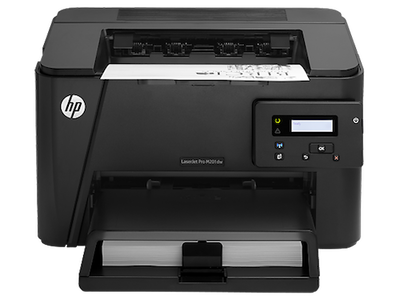
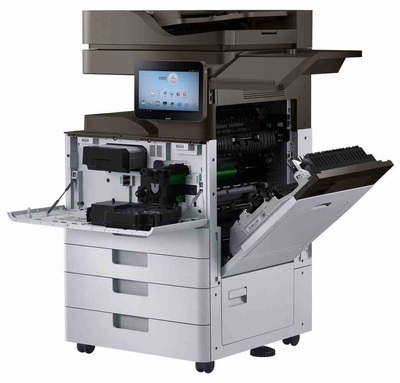
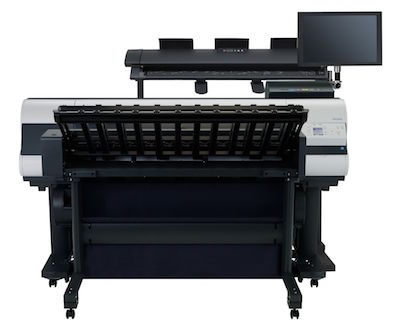
Need to repair a printer near you today? Call 1300 206 002 and tell us what it is doing.
If you are looking for online printer services and would rather not have a visit, call first. Many faults can be worked out on the phone, and we will say so if yours is one of them.
WHY CHOOSE PRO PRINTER REPAIRS
FOR YOUR EXPRESS PRINTER REPAIRS?
Trained & Certified Technicians
Our specialist technicians are trained on all leading printer & copier brands
90% First Time
Fix Rate
90% first time fix rate ensures less downtime for your office & lowers cost
No Call Out
Charge
Our service rate includes the call out fee so you just pay for labour & parts
Service Fully Guaranteed
We pride ourselves on our service department so our service is guaranteed
Printer & Photocopier Brands We Service

Experience Counts When It Comes To Repairing Your Printer To The Highest Level Possible
The Most Experienced Printer & Copier
Service Team
Call Our Service Department For A No Obligation Printer Service Quote & Free Service Advice
Phone 1300 206 002
Is It Economical To Have Your Printer Repaired?
Or Should You Get A New One?
In some cases it is more cost effective to replace your printer. Call us on 1300 206 002 and speak with a printer specialist about the most economical solution, sometimes getting your printer fixed is not the best option. We offer printer sales, rental & hire for a large range of new & factory reconditioned printers. All of our printers come with warranty & delivery with optional network configuration for scanning & network printing configuration.

We repair office printers and photocopiers on site. You describe the fault, we give you a price for attending, and a technician comes to you and works on the machine where it stands. Repairing a printer is very often cheaper than replacing it, particularly on business machines built to run for years. The trick is knowing which faults are worth fixing — and being told honestly when one is not.
Phone 1300 206 002 & speak with one of our printer specialists about which printer is right for you
Or use our online printer quote form to provide details of your requirements and usage so we can recommend the best printer for your particular needs
Printer Service Quote & Booking Form
Service Department
Call 1300 206 002