
Samsung Printer Repairs Brisbane
The Samsung Printer & Photocopier Experts
Call (07) 3096 0366 for no-obligation Samsung Printer repair advice!
Get Your Samsung Printer Fixed Now!
Brisbane · Gold Coast · Sunshine Coast
On-Site Samsung Service
"Lowest Prices Guaranteed"
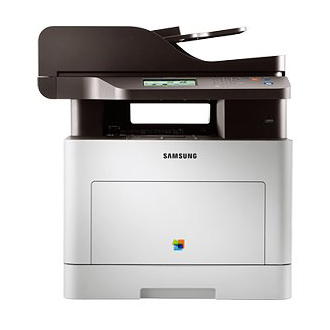
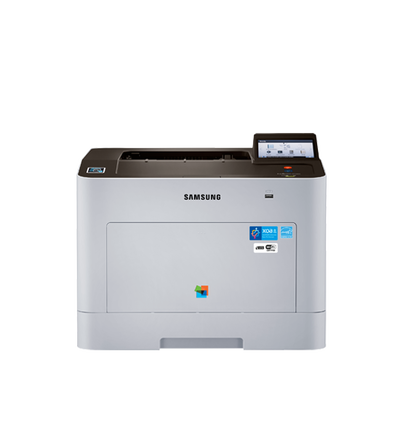
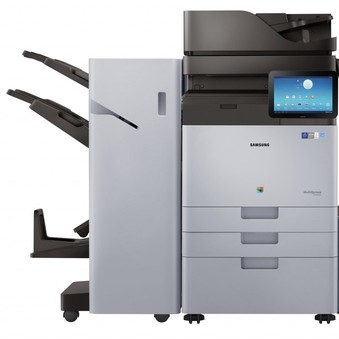
Need Samsung printer repairs near you today? Call 1300 206 002 and tell us the model and what it is doing. Most Samsung faults are fixed in one visit with the parts on board. See printer repairs near me for what happens when you call, and printer service near me for scheduled servicing.
- Samsung Printer Repair
- Samsung MFP Repair
- Samsung Copier Repairs
- Mulltiexpress Repairs

Samsung Service & Repair Online Quote
Complete the below form to receive your Samsung repair quote now!
As Well As Samsung, Our Specialist Technicians Are Also Trained On The Following Printer & Copier Brands:












Samsung printer and copier repairs, on site
Pro Printer Repairs services and repairs Samsung printers and copiers at your office or home. HP bought Samsung's printer business in 2017, so many Samsung machines are now out of their maker's support, and that is exactly where our technicians help. Most Samsung faults are fixed in the one visit.
The Samsung models we repair most often:
- Samsung Xpress mono and colour laser printers
- Samsung ProXpress business printers
- Samsung MultiXpress multifunction copiers
- Samsung CLX and SL series multifunction printers
Common Samsung faults we fix on site: paper jams and misfeeds, fuser and imaging unit faults, streaks, lines and faded prints, toner and drum errors, document feeder and scanner problems, and wireless or network printing that has stopped working.
Call 1300 206 002 with the Samsung model and what it is doing. We will tell you straight away whether it is worth repairing, and book a technician to come to you. There is no call out charge, and every repair is guaranteed. We cover Brisbane, the Gold Coast and the Sunshine Coast, with technicians in Sydney, Melbourne, Perth and Canberra.
Book a technician or ask for a quote
Tell us what the printer or copier is doing and we will call you back. Or phone us now on 1300 206 002.