
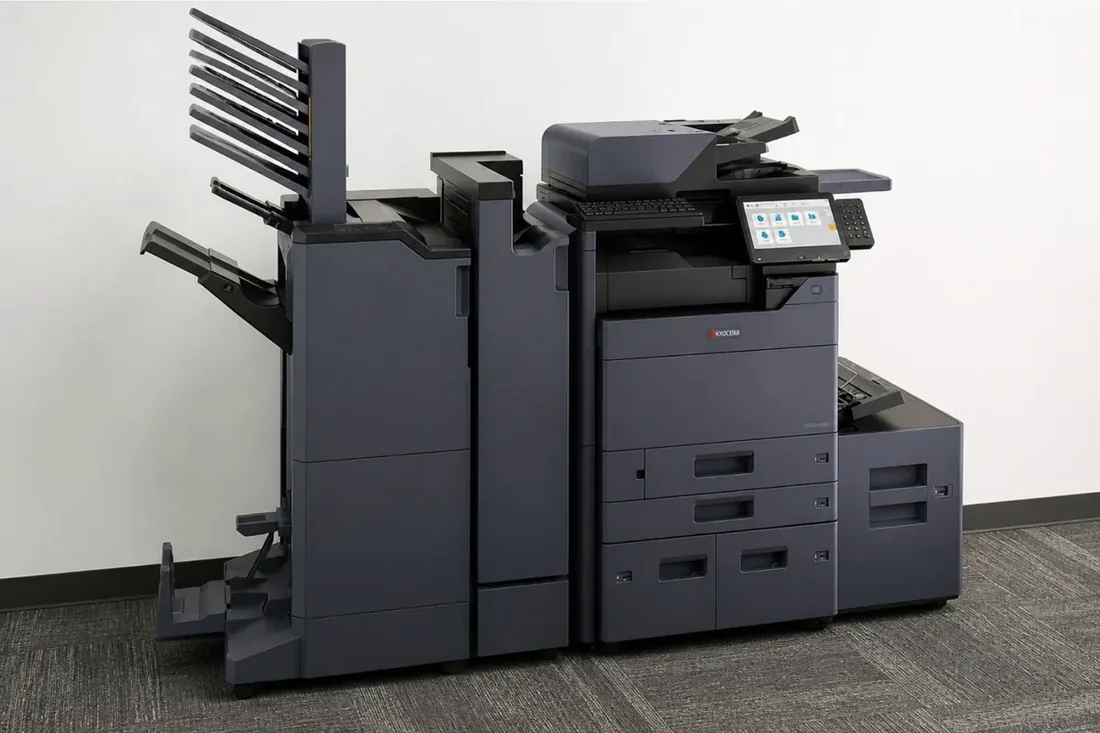
Kyocera's ECOSYS M8124cidn runs at 24 pages a minute and is the slower of its compact A3 colour pair. One bought in 2018 that prints a few thousand pages a month is now around 200,000 images, which is where Kyocera's maintenance kits fall due and where the faults below start to appear. We service and repair them on site across Brisbane, the Gold Coast, the Sunshine Coast and out to Toowoomba. Call 1300 206 002.
What wears on an M8124cidn, and when
Kyocera's service intervals for this model, in images (one side of one page):
| Part | What it renews | Due |
|---|---|---|
| Maintenance kit MK-8115A | Black drum and developer, fuser unit, transfer belt unit, tray 1 feed unit, bypass tray pulley and pad, registration cleaner, secondary transfer roller | 200,000 images |
| Maintenance kit MK-8115B | Drum and the cyan, magenta and yellow developers | 200,000 images |
| Document feeder kit MK-6110 | Feeder pick up pulley and separation guide | 300,000 originals |
| Toner TK-8119 | Black, cyan, magenta and yellow cartridges | When the screen asks |
| Waste toner box | Collects used toner from the drums | When the screen says it is full |
The machine counts these itself and puts a message on the screen when a kit is due. We fit kits on site and reset the counters so the next message comes at the right time.
Signs a service is due before the message appears
- Pages come out creased, shiny in patches or with toner that rubs off: the fuser
- Jams from tray 1 at the same spot every time: the feed rollers
- One colour slowly fading across every page: that colour's developer
- The document feeder double feeds or will not pick up a stack: its pulley and pad
- Grey haze in the background of copies: the drum, or toner dust inside
Kyocera M8124cidn jam codes
A J code tells you where the sheet stopped. Clear the paper the screen points to, and call 1300 206 002 if the same code keeps coming back.
| Code | Where the paper stopped |
|---|---|
| J0000 | Paper was left inside when the machine was switched on |
| J0110, J0111, J0114 | A cover opened while printing: right side, front, or the bridge cover |
| J0501, J0502, J0503 | Nothing fed from tray 1, or from the first or second add on tray |
| J0508 | The sheet did not come back through the duplex |
| J0509 | Nothing fed from the bypass tray |
| J0511, J0518, J0519 | Two or more sheets fed together from tray 1, the duplex or the bypass tray |
| J0512, J0513 | Two or more sheets fed together from the add on paper feeder |
| J1403, J1413 | Paper never reached, or stuck at, the add on feeder's sensor |
| J4002, J4003 | Paper never reached the registration rollers |
| J4012, J4013 | Paper stopped at the registration rollers |
| J4101 to J4119 | Paper did not clear the fuser belt area |
| J4201 to J4219 | Paper did not reach, or did not leave, the exit |
The C codes, the ones that stop the machine with a call for service, are the same on the M8124cidn and the M8130cidn apart from the scanner. We list them on our Kyocera M8130cidn repairs page.
What an M8124cidn service visit covers
- Read the counters and the error history, so we know which kit is due and what the machine has been reporting.
- Vacuum toner and paper dust from the imaging section and the paper path.
- Fit whatever has fallen due and reset its counter.
- Bring the firmware up to date, the first thing Kyocera asks for on many faults.
- Copy, print and scan a test page, and check scan to email and scan to folder still work.
Kyocera M8124cidn questions
Is it worth repairing an older M8124cidn?
Often, yes. The engine is built for long life and the parts that wear come in Kyocera's kits, so a machine with a sound body usually has years left after a kit. Our repair or replace guide sets out how we weigh it.
Do you service the extra paper trays and the finisher?
Yes: the PF-470 and PF-471 paper feeders under the machine, the DF-470 internal finisher and the document feeder on top.
Where is the page count?
Press System Menu, then Counter. Read us the total and we will know where the machine is against its 200,000 image kits.
Do the M8124cidn service codes differ from the M8130cidn?
Only for the scanner, because the M8124cidn uses a contact image sensor: its scanner codes read C3200 CIS error and C3300 CIS AGC error. Everything else matches the M8130cidn codes.
Is there a call out charge?
No. You pay for the labour and any parts, and every repair is guaranteed.
Book a technician or ask for a quote
Tell us what the printer or copier is doing and we will call you back. Or phone us now on 1300 206 002.